A simple and secure way for patients registered with a GP surgery in England to access a range of services on their smartphone or tablet. Patients can access NHS services through the free NHS App 24 hours a day, 7 days a week.
You can download the app by following the link to your phones app store at the very bottom of the page.
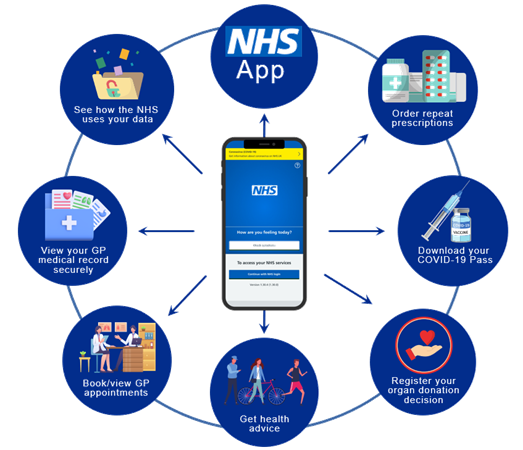
Patients aged 16+, with an email address, mobile number (no smartphone needed) and photo ID can self-register for:
- Medication requests
- Appointment booking
- Summary record access
- Prospective full record access
GP Online Services
GP Online Services allow patients to book appointments, request medication and view medical records. Registering for GP Online Services
Registering for GP Online Services
If you are 16+ with suitable photo ID, you can self-register by downloading the NHS App or visiting www.nhs.uk/nhsapp. If you are unable to get through the self-registration, please see the ‘Having difficulties?’ section below.
If you require online services for someone who lacks capacity to make their own care decision (e.g. young children or an ill relative), please first self-register for the NHS App for yourself and then contact the surgery regarding adding additional patients to your account. Older children may need their own account created by the surgery if they are deemed competent to make decisions about their own care.
Technologies used within our practices
Below we have indicated which technologies we use, what they are best used for which we hope will go some way to explaining why there are different technologies available.
You can access Digital Support from Communities Together East Anglia, they offer patients free digital support sessions to help with health, staying connected, and everyday tasks like shopping and banking. More information is available here. We also have many Youtube videos at the bottom of this page which can help guide you through downloading, registering and navigating your NHS App.
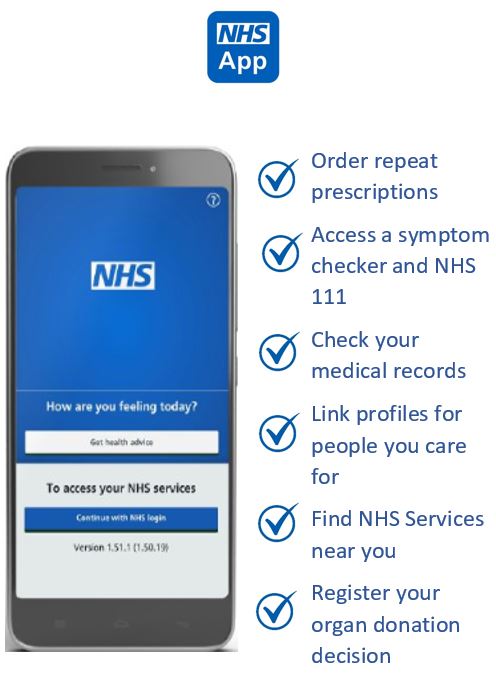
Each of the technologies we use serves a different purpose, it can be confusing as some of the technologies do have the capabilities to do similar things as the others.
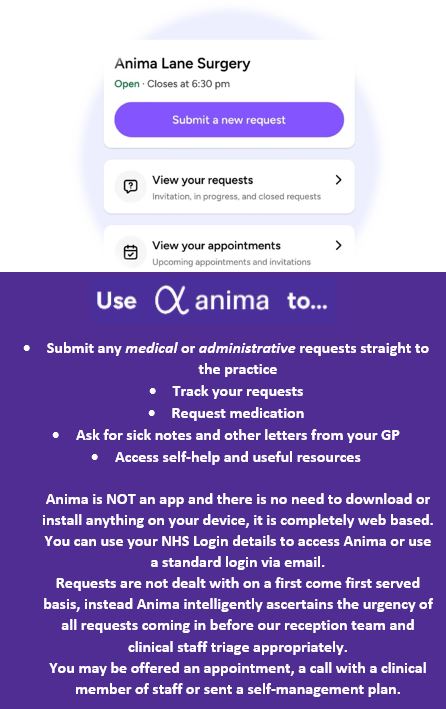
For instance, the NHS App is great for ordering repeat prescriptions whereas you cannot order something prescribed to you if it was an acute prescription even if you use it regularly if it is not listed as a repeat prescription, you would need to request the medication through an Anima request. We may not put painkillers on repeat even if they are regularly prescribed, this is because we like to make sure the medications are being used correctly and as prescribed. We can manage this better and review patients needs for medication before each prescription if we receive a direct request.
On Anima you can track your requests until they close but for closed requests you can find copies of your submissions in the Documents section of the NHS App, this is because we save them to your medical records and since October 2023 you can see information added to your records via the NHS App. This does not include historic information added prior to October 2023.
Although in some surgeries the NHS App can be used to book appointments, this is not the case at Swan Surgery. During the Apps infancy we found allowing patients to book appointments through the App created other issues, a patient would, for instance, book to see a Healthcare Assistant for an issue a GP should be seen for and this led to an increase in complaints as we would had to cancel those appointments.
Anima triages patients requests into a “traffic light system”, red and orange should be seen on the day and if there is capacity the green patients should be seen but these can wait if the capacity doesn’t allow, a clinical member of the team also triage all requests and if a clinician would like to see you, they will send you a link for a face to face appointment, they may telephone you to discuss your request before agreeing to a care plan or asking you to come in. We generally process all requests the same day.
The NHS App is owned and managed by the NHS itself, to access the app you need to prove who you are because of the sensitive information you are accessing. If your device supports fingerprint or facial recognition you can use this to login instead of a password or security code, this makes logging in incredibly simple as well reassures you that nobody else can access your app.
You can check the NHS App for test results which should be available on the app once a clinician has viewed them. You can submit an Anima request if you would then like to discuss them with a clinician.
West Suffolk Hospital offer access to test results, including x-rays results, blood results, upcoming appointment information as well as access to clinic letters via Patient Portal. We have had several patients report positively about Patient Portal, if you’d like to find out more you can do so here
Clinical Note Support – Ambient Transcription
We’re introducing Clinical Note Support (AI) . An Ambient Scribing product is a tool that uses advanced speech technology and turns spoken words into text with little effort from the user. They can help with tasks like writing patient notes and supporting healthcare workflows, such as referrals. Older versions, such as speech recognition and digital dictation tools, have been used in the NHS for years, but this technology is now developing quickly.
What are the benefits of using Clinical Note Support?
- More time for you: AI can help reduce admin tasks, giving clinicians more time to listen and care for you.
- Consistent Record Keeping: Helps maintain accurate and detailed records of your care.
What are the limitations of using AI in Primary Care?
- AI is note perfect. It may sometimes misunderstand context and make suggestions that a human must review.
- Clinician oversight is essential. AI supports, but never replaces, professional judgement.
- Limited understanding. AI doesn’t “understand” your emotions or concerns – it processes patterns, not human experience.
How do we manage the limitations?
- We perform assessments with privacy and security experts before we start using a new system.
- We closely monitor how the system is working.
- We mee with suppliers to ensure that the system continues to improve.
- We welcome feedback and involvement from patients and staff
- We ensure that there is human oversight
How is your data protected?
- Data Security: All data is encrypted to prevent unauthorised access.
- Access Control: Only authorised healthcare professionals involved in your care can access the transcription and notes.
- Privacy: Your privacy is protected as no direct recording of the consultation occurs, and the system complies with data protection laws, including GDPR
Do I have to use it?
No, if you don’t want to use it please tell the healthcare professional when you get called into your appointment.
Who to contact if you have more questions?
If you have any questions, please visit the following link for more information from Suffolk and North East Essex Integrated Care Board. (SNEE ICB)
SNEE ICB – AI Use in Primary Care
If you have any further concerns you are welcome to contact our Data Protection Officer via email – dpo@snee.nhs.uk
Meet “Andi” – Our New Virtual Care Navigator
We’re pleased to let you know that we’re trialling a new virtual care navigator called Andi to help improve how we manage patient requests and phone calls. Andi is our virtual call taker — helping patients who prefer to submit their Anima requests over the phone rather than complete an online form themselves. This means that if you call the practice and need help submitting an Anima online request, Andi will take down your details and pass your request directly to the right team.
What this means for you
- You can still submit your own request online through Anima as usual.
- If you’d rather submit your request using the telephone, you’ll now be able to go through to Andi, who will help complete the Anima request on your behalf.
- Your request will then be sent straight to the appropriate team, ensuring it’s handled quickly and efficiently.
Benefits for our patients
- Reduced phone queues – less time waiting to speak to someone.
- Easier to submit a request by phone – no need to go online if that’s not convenient.
- Faster routing – your request goes directly to the right team.
Benefits for the practice
- Frees up staff time to focus on patient care
- Improves efficiency in managing patient requests
- Reduces waiting times and eases pressure on phone lines
A Quick note:
Andi isn’t a robotic sounding voice, he sounds quite natural. This may feel a bit unusual at first and you may think you are speaking to a real person but rest assured it’s just our new automated system working hard behind the scenes making it easier for everyone. We’re introducing Andi as part of our commitment to making it easier for all patients to access our services whether online or over the phone.
Thank you for your patience and support as we pilot this new system.
Tutorials
Please see the videos below that will hopefully help you to navigate using the NHS App. We did not create these videos, nor do we own them, where possible the videos are provided through the NHS YouTube page, however some of the videos are from other sources within YouTube.
Video 1: Downloading the NHS App to your iPhone
Video 2: Downloading the NHS App to your Android device
Video 3: Login without using photo ID (BSL)
Video 4: Login using your photo ID (BSL)
Video 5: Meet your NHS App (BSL) – A quick guide through
Video 6: Viewing your GP Health Record
Video 7: Requesting your repeat medication
Video 8: Using NHS 111 through the app
Video 9: Managing Notifications from your NHS App
Video 10: Updating contact details using your NHS App
Still having difficulties?
I don’t have a smartphone
NHS App services are available at www.nhs.uk/nhsapp. You will require a mobile number, but do not require a smartphone. If you do not have a mobile phone number and would like access to GP Online Services, please see ‘Signing up through the surgery’ below.
I am being asked for a “Linkage Key”
Please get in touch with the surgery to arrange this. We will need to verify your identity before providing this. You may be asked to attend the surgery with identification documents or we may be able to verify your identity remotely by asking questions to confirm your identity based on information in your medical records.
Signing up through the surgery
If you do not meet the requirements for registering for the NHS App, such as no mobile number or photo ID, please bring in a utility bill, bank statement or similar with your name and address on it.